Best Monitors
This category covers screens and screen accessories, from portable travel displays and full-size desktop monitors to monitor light bars and even energy-usage meters. The best monitor for you depends on the job, whether that is sharp office text, fast gaming refresh rates, or a second screen you can fold into a bag. Weigh resolution, refresh rate, panel type, and the ports your devices actually use before you buy.
31 monitors tracked, prices checked weekly by Elan Harpaz.
Buying guides
All 31 monitors
Ordered by our own picks first, then by whether the listing is the thing this category is named after rather than an accessory for it, then by Amazon rating weighted by review count.

ASUS TUF Gaming 27” 1440P Monitor (VG27AQA1A) - QHD (2560 x 1440), 170Hz (Supports 144Hz), 1ms, Extreme Low Motion Blur, Freesync Premium, Eye Care, HDMI, DisplayPort, Shadow Boost, Speakers, HDR
Observed
Best for: A dark room, where deep blacks matter more than perfect viewing angles.

Samsung 34" ViewFinity S5 Series Ultrawide Monitor, QHD(3440 x 1440), 100Hz, 5ms, AMD FreeSync, HDR10 (DisplayPort, HDMI), Borderless Design, Black, with HDMI Cable
Observed
Best for: Multitaskers who want one wide screen instead of two
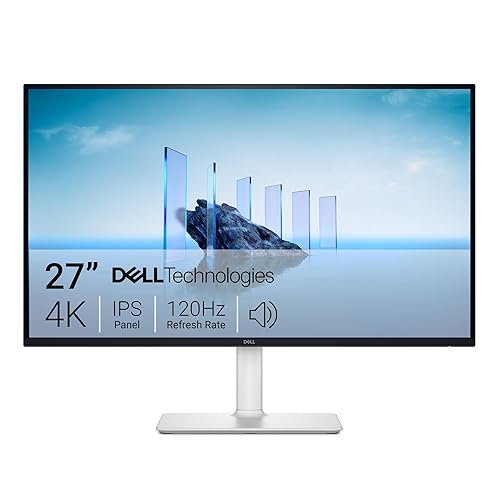
Dell 27 Plus 4K Monitor - S2725QS - 27-inch 4K (3840 x 2160) 120Hz 16:9 Display, IPS Panel, AMD FreeSync Premium, sRGB 99%, Integrated Speakers, 1500:1 Contrast Ratio, Comfortview - Ash White
Observed
Best for: Everyday 4K on a tight budget
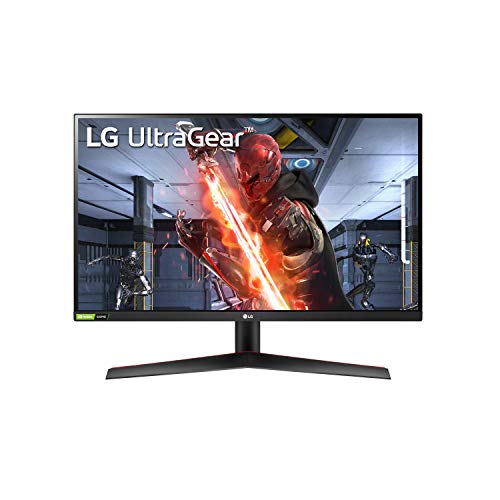
LG 27GN800-B Ultragear 27 inch QHD (2560x1440) IPS 144Hz 1ms Gaming Monitor AMD FreeSync Premium G-Sync Compatible HDR10 HDMI DisplayPort Black
Observed
Best for: Someone who wants IPS color and viewing angles, and both sync certifications on one panel.
![Samsung Galaxy Watch 7 40mm Bluetooth AI Smartwatch w/Energy Score, Wellness Tips, Heart Rate Tracking, Sleep Monitor, Fitness Tracker, 2024, Green [US Version, 1Yr Manufacturer Warranty]](https://m.media-amazon.com/images/I/71ajpQVSv+L._SL500_.jpg)
Samsung Galaxy Watch 7 40mm Bluetooth AI Smartwatch w/Energy Score, Wellness Tips, Heart Rate Tracking, Sleep Monitor, Fitness Tracker, 2024, Green [US Version, 1Yr Manufacturer Warranty]
Observed

msi MPG 321URXW QD-OLED 31.5 Inch 4K UHD Gaming Monitor - 3840 x 2160 Quantum Dot OLED Panel, 240Hz / 0.03ms, 99% DCI-P3, ΔE≤2, DisplayHDR True Black 400, KVM, RGB - DP 1.4a, HDMI 2.1, USB Type-C 98W
Observed
This is my pick for 4K gaming, mostly because a 240Hz refresh on a 4K QD-OLED is still a rare combination. That speed-plus-resolution mix is exactly what makes it stand out to me.

LG 27GL850-B 27 Inch Ultragear QHD Nano IPS 1ms NVIDIA G-Sync Compatible Gaming Monitor, Black
Observed

LG 27GP750-B 27” Ultragear FHD (1920 x 1080) IPS Gaming Monitor w/ 1ms Response Time & 240Hz Refresh Rate, NVIDIA G-SYNC Compatible with AMD FreeSync Premium, Thin Bezel, Tilt/Height/Pivot Adjustable
Observed

MOUNTUP Single Monitor Desk Mount Holds Screen up to 32 inch, Height Adjustable Monitor Arm, Full Motion Computer Monitors Stand with Clamp/Grommet Base, VESA Mounts Fit 4.4-17.6lbs Computer, Black
Observed
![Apple Watch SE (2nd Gen) [GPS 40mm] Smartwatch with Midnight Aluminum Case with Midnight Sport Band S/M. Fitness and Sleep Trackers, Crash Detection, Heart Rate Monitor, Retina Display](https://m.media-amazon.com/images/I/61eE8SSyPWL._SL500_.jpg)
Apple Watch SE (2nd Gen) [GPS 40mm] Smartwatch with Midnight Aluminum Case with Midnight Sport Band S/M. Fitness and Sleep Trackers, Crash Detection, Heart Rate Monitor, Retina Display
Observed

KYY Portable Monitor 15.6" 1080P Computer Monitor Screen Extender w/Cover
Observed

Yodoit Portable Monitor 15.6" 1920×1080 FHD IPS Travel Screen Display with USB-C Plug & Play, Built-in Speakers Smart Cover for MacBook PC Xbox, Extended Display for Remote Workers (Black)
Observed
The single-cable setup is what makes these worth owning. Pull it out at a coffee shop, plug in, and you have a real workstation.
Frequently asked questions
What should I look for in a monitor?
Match resolution and size to your viewing distance, then check refresh rate and panel type, since IPS gives better color and viewing angles while higher refresh rates help with gaming and motion. Make sure the inputs match your laptop or desktop so you are not hunting for adapters.
What is the difference between a 60Hz and a 144Hz monitor?
Refresh rate is how many times per second the screen updates, so 144Hz looks noticeably smoother in fast games and even in everyday cursor movement. For office work and video, 60Hz is perfectly fine, so the higher rate mainly benefits gamers.
Is a portable monitor worth it?
If you work on the go or want a second screen for a laptop, a portable monitor adds real productivity in a slim package that runs off USB-C. Just check that your device supports video over its USB-C port, or that the monitor includes an HDMI input.