ASUS TUF Gaming 27” 1440P Monitor (VG27AQA1A) vs LG 27GN800
Two of our picks from Best Gaming Monitors at Every Budget, compared side by side on the specs and trade-offs that actually matter.

Specs head to head
| Spec | ASUS TUF Gaming 27” 1440P Monitor (VG27AQA1A) | LG 27GN800 |
|---|---|---|
| Screen size | 27 inches | 27 inches |
| Resolution | QHD (2560 x 1440) | QHD (2560 x 1440) |
| Panel type | VA | IPS |
| Refresh rate | 170Hz (DisplayPort), 144Hz (HDMI) | 144Hz |
| Response time | 1ms MPRT | 1ms (GtG) |
| Adaptive sync | AMD FreeSync Premium | FreeSync Premium and G-Sync Compatible |
| HDR | HDR10 (basic) | HDR10 (mediocre) |
| Ports | DisplayPort 1.2, 2x HDMI 2.0 | DisplayPort 1.4, 2x HDMI 2.0 |
| Street price (approximate) | Approximately 170 to 200 USD | Approximately 200 to 250 USD |
| Color gamut | n/a | 99% sRGB |
Our take on each
ASUS TUF Gaming 27” 1440P Monitor (VG27AQA1A)
Best for: Budget players who watch in dark rooms and want inky contrast more than perfect viewing angles.
This is the monitor for anyone who wants QHD at 170Hz without paying IPS money. The VA panel is its whole personality: contrast lands around 3000:1, so blacks look genuinely black and dark scenes have real depth that cheap IPS screens cannot match.
The catch is the usual VA tradeoff. Fast, dark transitions can smear a little, and viewing angles fade if you sit off-center. ELMB and FreeSync Premium help motion feel clean for the price, but competitive players chasing the last few milliseconds will notice it is not an IPS.
The stand is the other compromise. You get tilt only, no height adjustment, so plan on books or a VESA arm. HDR10 is supported but it is the basic, checkbox kind, not a real HDR experience. For the cost, none of that ruins what is a sharp, punchy gaming display.
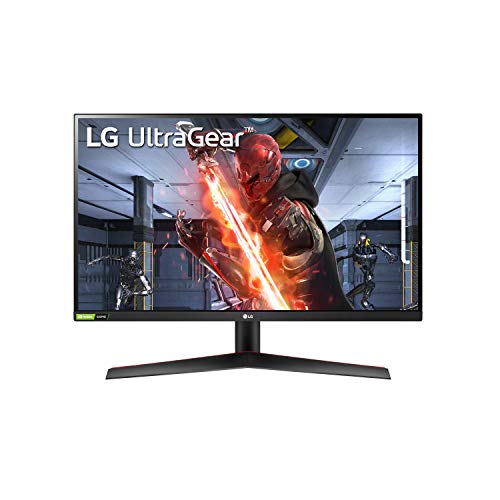
LG 27GN800
Best for: The majority of players who want sharp colors, wide viewing angles, and snappy motion without overpaying.
This is the safe, smart pick for most people. The 27-inch IPS panel runs QHD at 144Hz with a genuinely quick 1ms response, and it covers around 99% of sRGB, so colors are accurate and viewing angles stay clean from any seat.
It is a proper dual-purpose screen. Games feel responsive thanks to low input lag and both FreeSync Premium and G-Sync Compatible support, and the sharp QHD resolution makes everyday work and browsing pleasant too.
The weak spots are predictable for an IPS at this price. Contrast sits near 1000:1, so blacks look gray next to a VA, and the HDR is mediocre because peak brightness and contrast are just too low to do it justice. The stand is also poor, offering tilt only, so a monitor arm is a worthwhile add. None of that dents the core value.
More from this guide
We may earn a commission from qualifying purchases made through links on this page, at no extra cost to you. Commissions never change our picks.