LG 27GN800 vs LG 32" Ultragear 4K UHD (3840x2160) Gaming Monitor
Two of our picks from Best Gaming Monitors at Every Budget, compared side by side on the specs and trade-offs that actually matter.
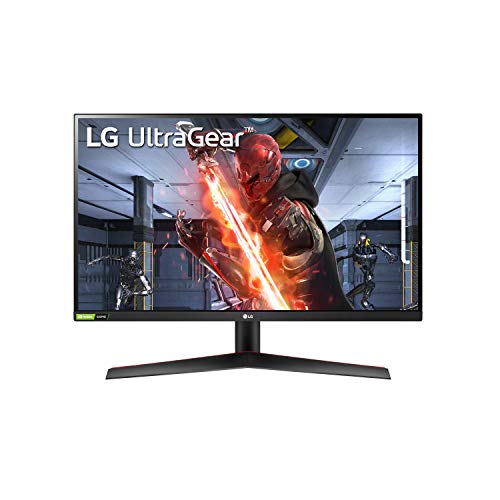

Specs head to head
| Spec | LG 27GN800 | LG 32" Ultragear 4K UHD (3840x2160) Gaming Monitor |
|---|---|---|
| Screen size | 27 inches | 31.5 inches |
| Resolution | QHD (2560 x 1440) | 4K UHD (3840 x 2160) |
| Panel type | IPS | IPS |
| Refresh rate | 144Hz | 144Hz (120Hz on consoles) |
| Response time | 1ms (GtG) | 1ms (GtG) |
| Adaptive sync | FreeSync Premium and G-Sync Compatible | FreeSync Premium and G-Sync Compatible |
| HDR | HDR10 (mediocre) | VESA DisplayHDR 400 (entry-level) |
| Color gamut | 99% sRGB | 95% DCI-P3 |
| Ports | DisplayPort 1.4, 2x HDMI 2.0 | 2x HDMI 2.1, DisplayPort 1.4, 2x USB 3.0, headphone out |
| Street price (approximate) | Approximately 200 to 250 USD | Approximately 550 to 600 USD |
Our take on each
LG 27GN800
Best for: The majority of players who want sharp colors, wide viewing angles, and snappy motion without overpaying.
This is the safe, smart pick for most people. The 27-inch IPS panel runs QHD at 144Hz with a genuinely quick 1ms response, and it covers around 99% of sRGB, so colors are accurate and viewing angles stay clean from any seat.
It is a proper dual-purpose screen. Games feel responsive thanks to low input lag and both FreeSync Premium and G-Sync Compatible support, and the sharp QHD resolution makes everyday work and browsing pleasant too.
The weak spots are predictable for an IPS at this price. Contrast sits near 1000:1, so blacks look gray next to a VA, and the HDR is mediocre because peak brightness and contrast are just too low to do it justice. The stand is also poor, offering tilt only, so a monitor arm is a worthwhile add. None of that dents the core value.
LG 32" Ultragear 4K UHD (3840x2160) Gaming Monitor
Best for: Players with a strong GPU or a PS5 who want maximum sharpness and screen real estate.
If you want the full experience, this is it. A 32-inch 4K IPS panel at 144Hz is a stunning amount of detail and space, and the image is crisp, colorful, and wide-angle thanks to the IPS panel covering roughly 95% of DCI-P3.
The standout is dual HDMI 2.1, which means 4K at 120Hz on a PS5 or Xbox Series X with no compromises, plus DisplayPort 1.4 for PC. The stand is also a real one here, with tilt, height, and pivot, so you can set it up properly out of the box.
It is not flawless. DisplayHDR 400 is entry-level HDR that adds brightness but no real local dimming punch, and there are no built-in speakers. Contrast is also typical-IPS, so blacks are not VA-deep. Driving 4K at 144Hz demands a serious GPU too. Accept those and you get one of the best value 4K gaming screens around.
More from this guide
We may earn a commission from qualifying purchases made through links on this page, at no extra cost to you. Commissions never change our picks.