Dell 27 Plus 4K S2725QS vs Samsung 34" ViewFinity S5 Ultrawide
Two of our picks from Best Computer Monitors, compared side by side on the specs and trade-offs that actually matter.
Short answer
Between the Dell 27 Plus 4K S2725QS and the Samsung 34" ViewFinity S5 Ultrawide, we recommend the Dell 27 Plus 4K S2725QS ($293.99 when we checked it on 2026-10-12) as the better computer monitor for most people. Everyday 4K on a tight budget The Samsung 34" ViewFinity S5 Ultrawide ($339.90 when we checked it on 2026-10-12) still makes sense if multitaskers who want one wide screen instead of two.
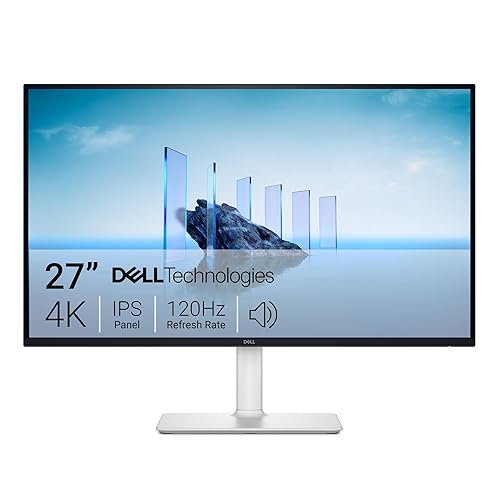
Dell 27 Plus 4K Monitor - S2725QS - 27-inch 4K (3840 x 2160) 120Hz 16:9 Display, IPS Panel, AMD FreeSync Premium, sRGB 99%, Integrated Speakers, 1500:1 Contrast Ratio, Comfortview - Ash White
$293.99observed
Lowest we have recorded: $218.49 on (17 weekly checks)

Samsung 34" ViewFinity S5 Series Ultrawide Monitor, QHD(3440 x 1440), 100Hz, 5ms, AMD FreeSync, HDR10 (DisplayPort, HDMI), Borderless Design, Black, with HDMI Cable
$339.90observed
Lowest we have recorded: $339.90 on (17 weekly checks)
Specs head to head
| Spec | Dell 27 Plus 4K S2725QS | Samsung 34" ViewFinity S5 Ultrawide |
|---|---|---|
| Resolution | 4K (3840 x 2160) | 3440 x 1440 (21:9) |
| Refresh Rate | 120 Hz | 100 Hz |
| Size | 27-inch IPS | 34-inch |
Our take on each
Dell 27 Plus 4K S2725QS
Best for: Everyday 4K on a tight budget
Getting true 4K and a 120Hz refresh rate in the same budget monitor used to be a fantasy, and this Dell quietly pulls it off. It earns the budget 4K pick here once you factor in the 27-inch IPS panel and 99% sRGB coverage, which look sharp for spreadsheets and good enough for the occasional movie night.
FreeSync Premium keeps motion clean during light gaming, and built-in speakers plus blue-light reduction round it out as a monitor you can genuinely live with all day, not just tolerate. At 14.26 pounds it is not the lightest panel around, but that is typical for a 27-inch 4K screen.
The speakers will not replace a real desktop set, and if you are firmly a 60Hz office user, the extra refresh rate headroom will go unused. Neither is a real knock against what is, for the price, an unusually complete monitor.
Samsung 34" ViewFinity S5 Ultrawide
Best for: Multitaskers who want one wide screen instead of two
An ultrawide like this is the answer when alt-tabbing all day gets old. It earns the productivity pick here for a simple reason: a 34-inch 21:9 panel at 3440x1440 gives you room to park two full windows side by side without shrinking either one down.
The 100Hz refresh rate smooths out scrolling and holds up fine for casual gaming, while Picture-by-Picture and Picture-in-Picture let you pull in a second input at native resolution, useful if a laptop and a desktop need to share one screen. HDR10 and FreeSync round out the feature list for media and motion.
Two things to know going in: a curved ultrawide like this eats more desk depth than a flat monitor, and it is new enough that there are still very few reviews to lean on. If your day is genuinely buried in windows, though, it solves a real problem.
More from this guide
We may earn a commission from qualifying purchases made through links on this page, at no extra cost to you. Commissions never change our picks.