Alienware AW2725D vs LG 27GN800-B UltraGear
Two of our picks from Best Gaming Monitors at Every Budget, compared side by side on the specs and trade-offs that actually matter.
Short answer
Between the Alienware AW2725D and the LG 27GN800-B UltraGear, we recommend the Alienware AW2725D ($540 when we checked it on 2026-08-24) as the better gaming monitor for most people. Players who want per-pixel black and OLED response, and accept the ownership rules that come with it. The LG 27GN800-B UltraGear ($379.99 when we checked it on 2026-09-21) still makes sense if someone who wants IPS color and viewing angles, and both sync certifications on one panel.

Alienware 27 Gaming Screen – AW2725D, QHD (2560x1440), 280Hz, QD-OLED, 0.03ms, Compatible with NVIDIA G-Sync, AMD FreeSync Premium Pro, DisplayHDR True Black 400, USB-C, HDMI, DisplayPort, 3-Year
$540.00observed
Lowest we have recorded: $540.00 on (6 weekly checks)
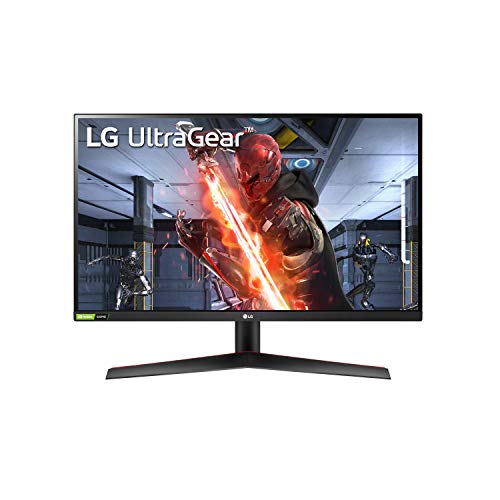
LG 27GN800-B Ultragear 27 inch QHD (2560x1440) IPS 144Hz 1ms Gaming Monitor AMD FreeSync Premium G-Sync Compatible HDR10 HDMI DisplayPort Black
$379.99observed
Lowest we have recorded: $296.99 on (15 weekly checks)
Specs head to head
| Spec | Alienware AW2725D | LG 27GN800-B UltraGear |
|---|---|---|
| Screen size | 27 inches | 27 inches |
| Resolution | QHD (2560 x 1440) | QHD (2560 x 1440) |
| Panel type | QD-OLED | IPS (BOE) |
| Refresh rate | 280Hz | 144Hz |
| Response time | 0.03ms GtG (manufacturer figure) | 1ms GtG (manufacturer figure) |
| Color gamut | Over 111% DCI-P3 (measured by Tom's Hardware) | Approx 99% sRGB |
| Adaptive sync | NVIDIA G-Sync Compatible | FreeSync Premium and G-Sync Compatible |
Our take on each
Alienware AW2725D
Best for: Players who want per-pixel black and OLED response, and accept the ownership rules that come with it.
The AW2725D is the pick where the panel technology changes, and that is worth more than any refresh-rate number. QD-OLED lights each pixel individually, so black is the absence of light rather than a dimmed backlight, and pixel transitions finish in a fraction of the time an LCD needs. Fast movement stays sharp instead of smearing, which is the thing the ASUS gives up.
Color is the other headline. Tom's Hardware measured it above 111% of DCI-P3, among the widest gamuts they had tested, with out-of-box accuracy they described as acceptable and post-calibration accuracy as excellent. 280Hz at 1440p is comfortably within reach of a mid-range GPU, which is a more sensible pairing than 4K at high refresh.
The OLED ownership rules are real and they do not go away. Static elements (a taskbar, a game HUD, an editor sidebar) carry a cumulative burn-in risk over years, which is why the panel runs pixel-shift and periodic compensation cycles you cannot skip. Automatic brightness limiting means a full white window is dimmer than a small bright highlight, so spreadsheet and document work looks less bright than on an LCD. The triangular subpixel layout makes small text look slightly color-fringed until you adjust ClearType. And the coating is glossy, so a lamp behind you shows up in the panel.
LG 27GN800-B UltraGear
Best for: Someone who wants IPS color and viewing angles, and both sync certifications on one panel.
The 27GN800-B is the IPS answer to the ASUS, and the case for it is viewing angles and color consistency. An IPS panel holds its color and contrast when you move off axis, which a VA does not, so it is the better monitor for a desk two people share or for work that involves judging color. It covers roughly 99% of sRGB and runs 1440p at 144Hz with low input lag.
It is also the only pick here carrying both certifications: AMD FreeSync Premium and NVIDIA G-Sync Compatible, so adaptive sync works out of the box regardless of which card you own.
Two things you should know before buying. First, the age: LG launched this monitor in October 2020, and this specific model uses a BOE IPS panel rather than the Nano IPS found in LG's more expensive UltraGear screens. Second, the contrast: like most IPS panels of this class it sits near 1000:1, so blacks read as dark grey next to the ASUS, and its HDR10 badge means as little as the ASUS one does. The stand tilts only. At the price we have recorded, buy this for the IPS panel specifically, not as a general upgrade over the budget pick.
More from this guide
We may earn a commission from qualifying purchases made through links on this page, at no extra cost to you. Commissions never change our picks.